
Account and settings
Start a trial, manage billing, or cancel your subscription
Check your plan and usage, start an eligible yearly trial, find receipts, or cancel renewal through the Talk & Comment billing portal.
Last updated October 16, 2026
Use this guide for a personal TAC Plus or TAC Pro subscription. If your school provides a seat, check the school-plan section before buying a personal plan.
Check your account and usage
- Open Account. Sign in with the Google account you use for Talk & Comment. If you checked out while signed out, use the Google account with the same email you entered at checkout.
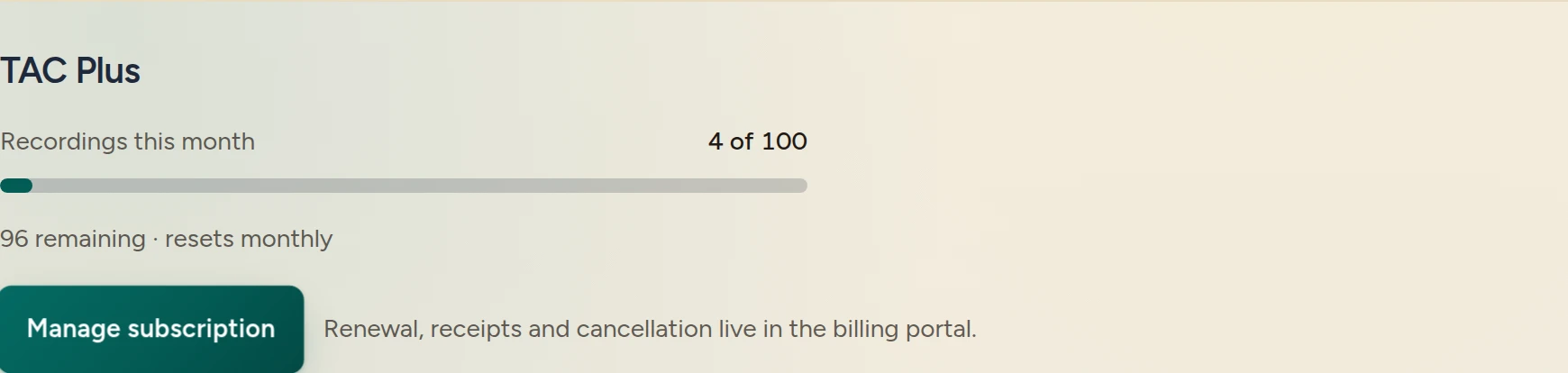
- Check your plan and allowance. Recordings this month shows usage for plans with a monthly cap. Unlimited plans show Unlimited recordings instead.
- Review other plans. See Pricing for current prices and plan details. On Free or TAC Plus, Account also shows Compare plans. On a paid plan, use Manage subscription for renewal, receipts, and cancellation.
Free includes 25 recordings per month. TAC Plus includes 100. TAC Pro and eligible School & District seats have no monthly recording cap. See recording limits and retention for storage and keeping a copy.
Start an eligible trial
A 7-day free trial is available on the first eligible yearly TAC Plus or TAC Pro checkout. It is one trial per teacher, not a new trial for each plan. Monthly billing starts immediately. Returning subscribers without trial eligibility are charged for the year at checkout.
- Open Compare plans in Account. Select Yearly, then choose TAC Plus or TAC Pro and its checkout button.
- Review Stripe checkout before confirming. Check the plan, billing interval, amount due, and whether a trial is included. The trial collects a payment method up front; do not assume every yearly checkout is free today.
- Complete checkout and return to Talk & Comment. If asked to sign in to activate the plan, use the email shown for that checkout.
The live Pricing FAQ says yearly billing begins on day 8 after the trial. To avoid that charge, cancel before day 7 through the billing portal.
Cancel renewal or find receipts
-
Open Account with the paying account. Select Manage subscription for your active personal plan or trial.
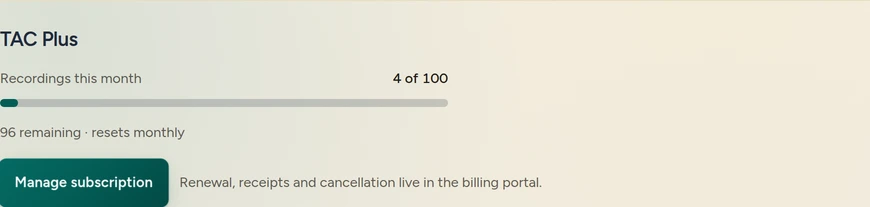
Manage subscription opens the billing portal for renewal, receipts and cancellation. (Example account.) Use the billing portal. Renewal, receipts, and cancellation are managed there. Follow the portal's cancellation steps and check the resulting subscription status and dates.
Uninstalling the Chrome extension does not cancel billing. Use Manage subscription even if you have already removed the extension. Sending uninstall feedback does not cancel a subscription either.
If the button is missing or the portal cannot open, check that you are signed in with the checkout email. A school seat is not proof of a personal subscription. If you still need help, email [email protected] with the account email and the error shown. Do not send card details.
School seats and personal subscriptions
An active school or team seat provides TAC Pro features through the organization. A personal subscription is billed separately through its own account's Stripe portal.
The school admin console's Organization plan is read-only. Seats and contract terms are arranged with the school's Talk & Comment contact. Ask your school administrator about the seat before starting a personal checkout. See the school admin console guide.
What happens when a paid plan ends
For a personal paid plan, recordings are kept while you stay subscribed. After the plan ends, Free retention terms apply: recordings are kept for at least 90 days after that, then older recordings may be removed. School and district retention follows the applicable DPA terms.
Before changing plans, use the Library guide to find recordings you want to keep and download your own audio.
Was this article helpful?
Still stuck? Email support and a real person will get back to you.